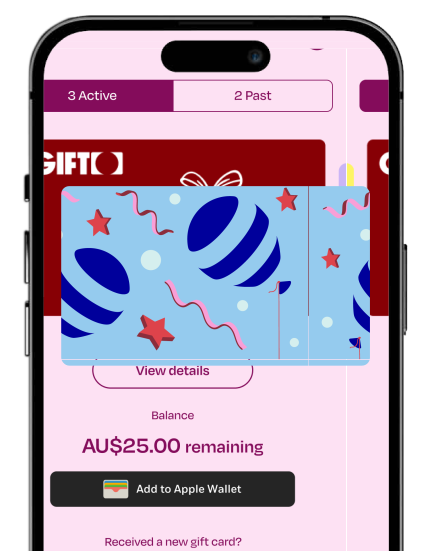
Download the GIFTO App now and unlock endless possibilities!
From birthdays to just-because moments, GIFTO makes it easy to gift experiences they’ll actually love – across dining, stays, movies and more.
Add GIFTO to Apple Pay® or Google Pay®
GIFTO is an experience gift card from EVT that gets you into hotels, restaurants, cinemas, ski days at Thredbo, spas and more. Everything lives in the GIFTO app, no physical card needed.
You choose an amount, add a personal message, and send the GIFTO online. The recipient claims it in the GIFTO app and adds it to Apple Pay or Google Pay. Once added, it can be used in-store at participating venues
No, you don’t need an account to buy a GIFTO. Creating an account makes it easier to track gifts you’ve sent and manage your details. It can also help if you need support later.
Yes, you can add a personal message and choose a design when purchasing a GIFTO. This allows you to tailor the gift to the occasion without any extra steps. Customisation is completed during checkout.
Visit gifto.gift, select an amount, personalise your message, and enter the recipient’s details. Payment is completed securely online. You’ll receive a confirmation email once the purchase is complete.
The recipient receives an email with instructions to claim their GIFTO. They’ll be guided to download the GIFTO app and redeem the gift securely. Once claimed, the GIFTO is linked to their account.
After claiming the gift in the GIFTO app, the recipient adds it to Apple Pay or Google Pay. The GIFTO then works like a digital card in their mobile wallet. It’s ready to use at any participating EVT venue straight away.
Yes, you can choose to spend part of your balance at a time. Any remaining balance stays available in your wallet and app. You can use it again until the balance is fully spent or expires
GIFTO is valid for three years from the date of purchase. The expiry date is clearly shown in the GIFTO app once the gift is claimed. We recommend using your GIFTO at any participating venues before the expiry date to avoid missing out.
GIFTO is a pre-paid Mastercard.
Across participating EVT venues in Australia, including Event Cinemas, QT Hotels, Rydges, Thredbo, SpaQ and more.
Check the full list here
Once added to your Apple Pay or Google Pay wallet on your phone or watch, simply “tap and pay” like you normally would.
The easiest way is to use a browser where you have Apple Pay or Google Pay enabled with your GIFTO card.
If you’re using another device, you can also pay with the Card Number like you would a normal debit/credit card.
– Simply visit the “Cards” section in the App, select the card you wish to view the details, and then tap on the card.
– It will then flip around and reveal the Card Number, CVV, Expiry and name on the card directly within the App.
– This can be typed in as a normal debit card online to complete your transaction.
Visit any participating hotel website, book a room, and select “Pay Later” at checkout. When prompted to add a card, use your own debit or credit card to secure the reservation.
When you arrive at the hotel, simply pay for your stay with your GIFTO via Apple Pay or Google Pay.
If your total bill, including the room and any incidentals, is more than your GIFTO balance, ask the team to use the remaining balance on your GIFTO first, then pay the rest with your personal credit or debit card.
You can check your GIFTO balance at any time in the GIFTO app.
Completely. GIFTO comes from EVT Limited, the ASX-listed company behind QT Hotels, Rydges, Event Cinemas and Thredbo, and it runs on Mastercard payment rails with secure redemption via Apple Pay and Google Pay. The only surprise is how good the gift is.
GIFTO was built for your phone, not the back of your wallet. Recipients download the free GIFTO app, claim their card and add it to Apple Pay or Google Pay, then tap to pay at any participating venue like a regular card. No plastic, no code to type at the till.
Yes. GIFTO lands by SMS or email in minutes, with your message attached. No envelopes, no postage, no “it’s in the mail”. Pick an amount from $50 to $1,000, hit send, take the credit.